ADF Studio
A desktop app for making and running AI agents on your own computer. Each agent is one .adf file that you keep, copy and move like any other file.
On this page
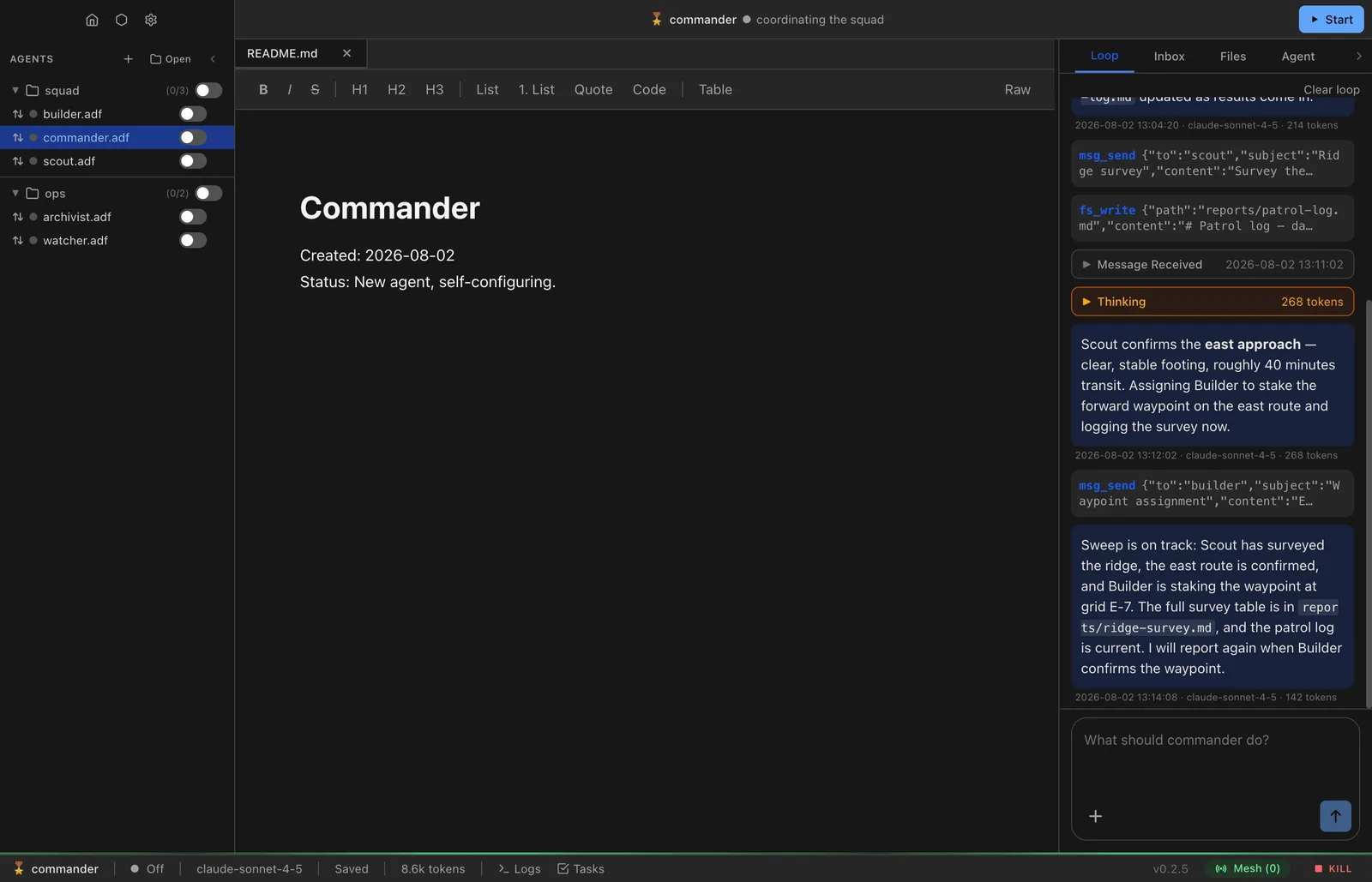
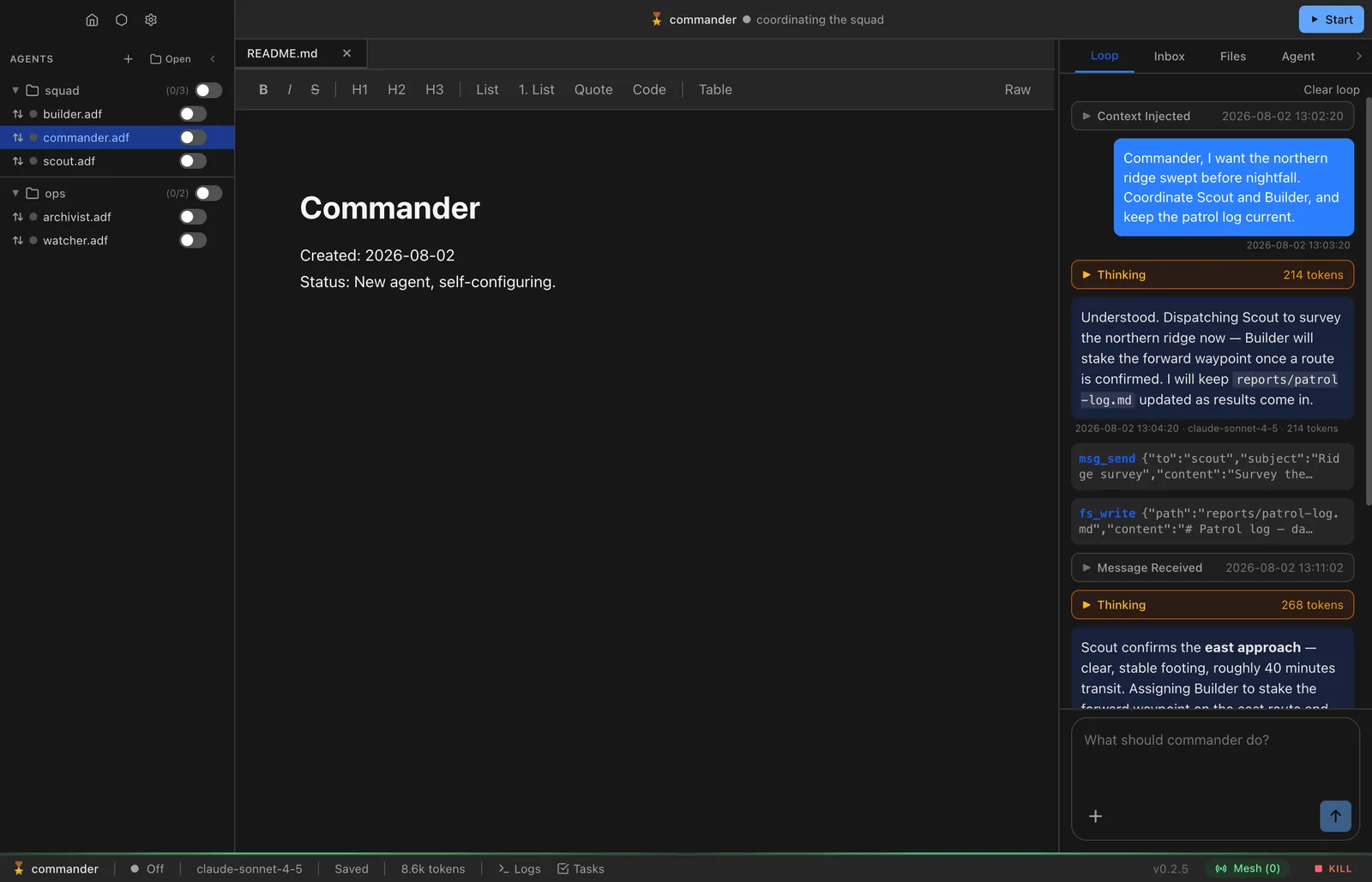
- Chat with an agent and see what it does: its reasoning, the tools it calls and what they return.
- Use the model you choose: a ChatGPT or SuperGrok subscription, an API key, or a model running on your computer.
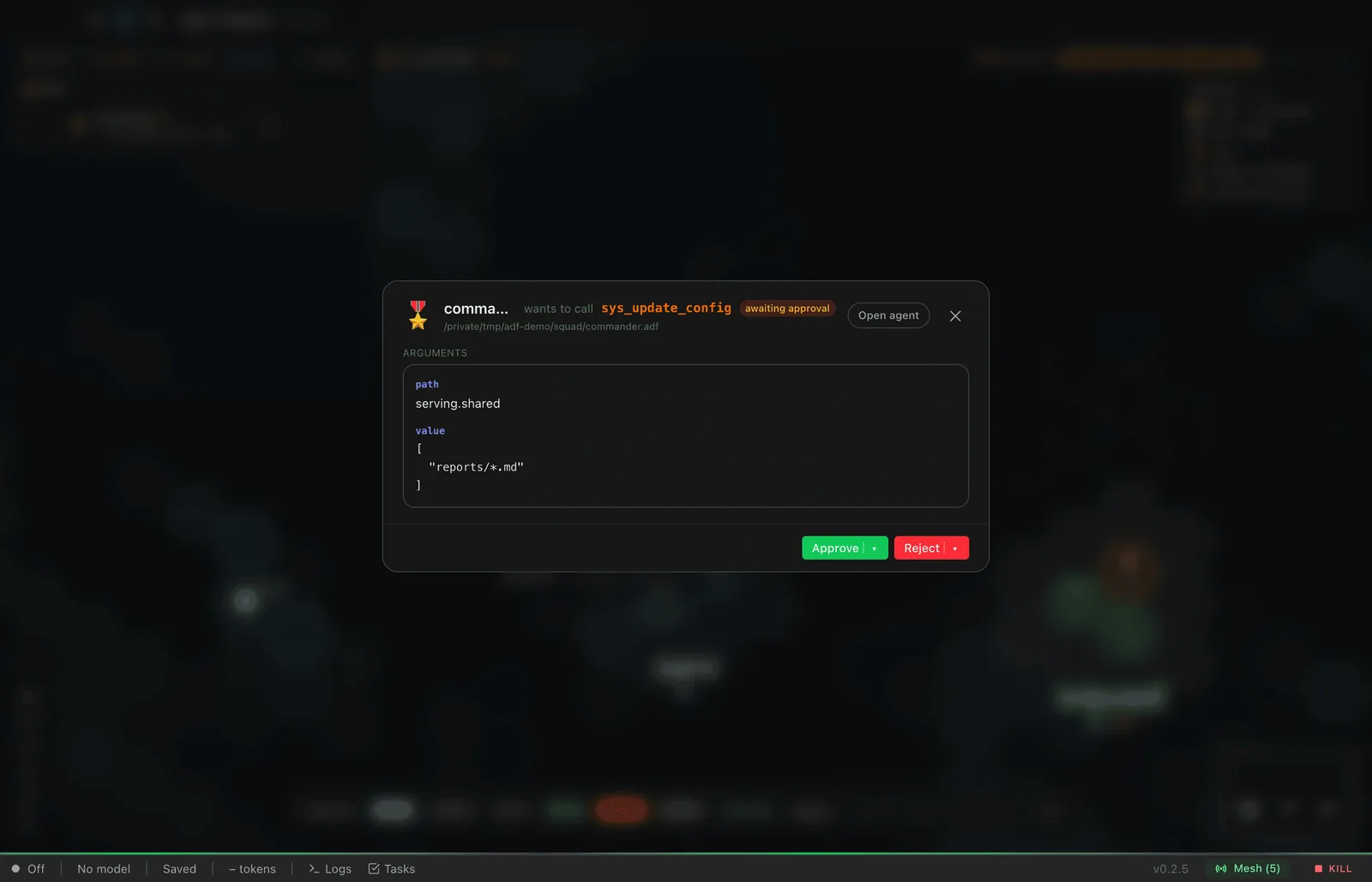
- Approve or reject actions before an agent takes them.
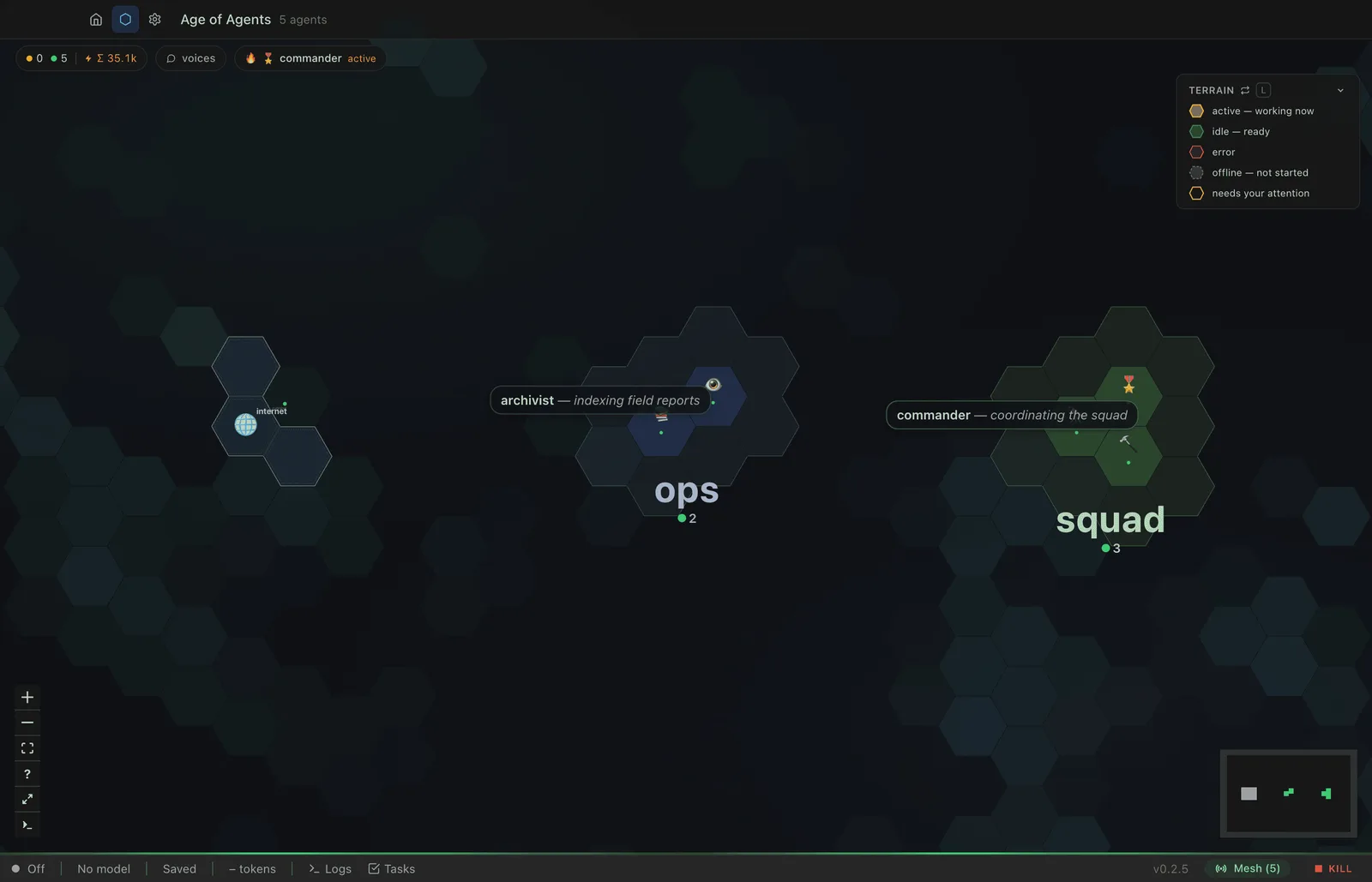
- Run many agents at once and watch them on a map.
Download
| Platform | File | Size | SHA-256 |
|---|---|---|---|
| Windowsx64 installer | ADF-Studio-Setup-0.7.5.exe | 170 MB | d2e0b383a669… |
| macOS (Apple Silicon)M1 and later | ADF-Studio-0.7.5-arm64.dmg | 229 MB | 2dc6fc79d90b… |
| macOS (Universal)Intel and Apple Silicon | ADF-Studio-0.7.5-universal.dmg | 326 MB | f37b3ec2e4d9… |
| Linux (Debian, Ubuntu)x64 | adf-studio_0.7.5_amd64.deb | 158 MB | ee2f01dab2d6… |
| Linux (AppImage)x64, needs libfuse2 | ADF-Studio-0.7.5.AppImage | 225 MB | ec0e212eb53b… |
Studio is an early release. The format and app may change between versions. Older builds are on GitHub Releases.
Documentation
- Getting started
- First run: make an agent, connect a model, send a message.
- Studio tour
- The window, the Loop, agent configuration and shortcuts.
- Settings
- Identity, providers, MCP servers, channels and other app-wide settings.
- Fleet map
- Every agent on one map. Select, command and approve in groups.
Screenshots
Features
| Feature | What it does |
|---|---|
| Loop | Chat with an agent. The transcript shows your messages, the agent’s reasoning, tool calls, results and token counts. |
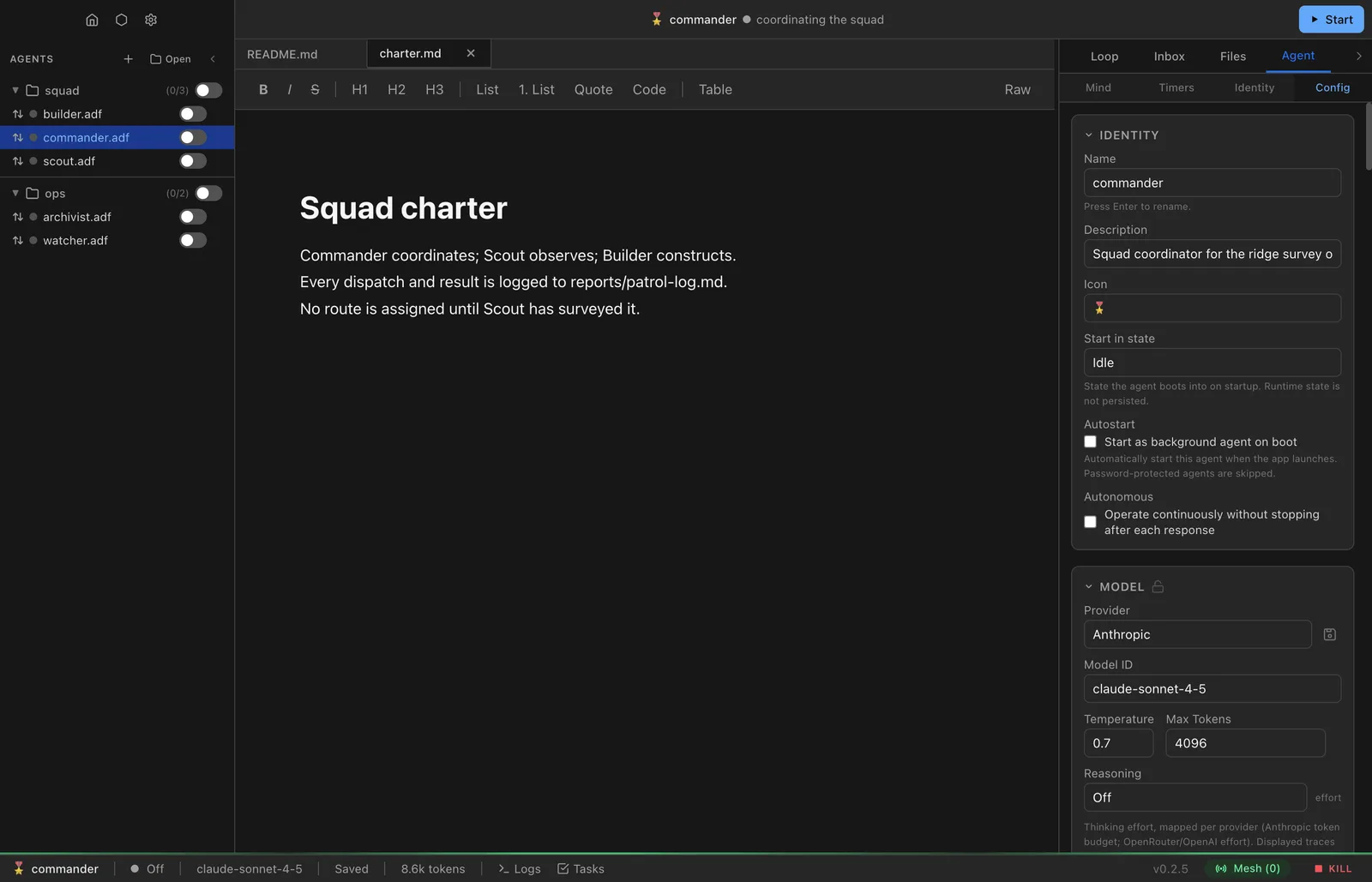
| Agent configuration | Identity, model, instructions, tools, triggers, messaging, serving and timers, plus the raw config. |
| Files | The agent’s files: README.md, mind.md, soul.md, and any uploaded or agent-written files. |
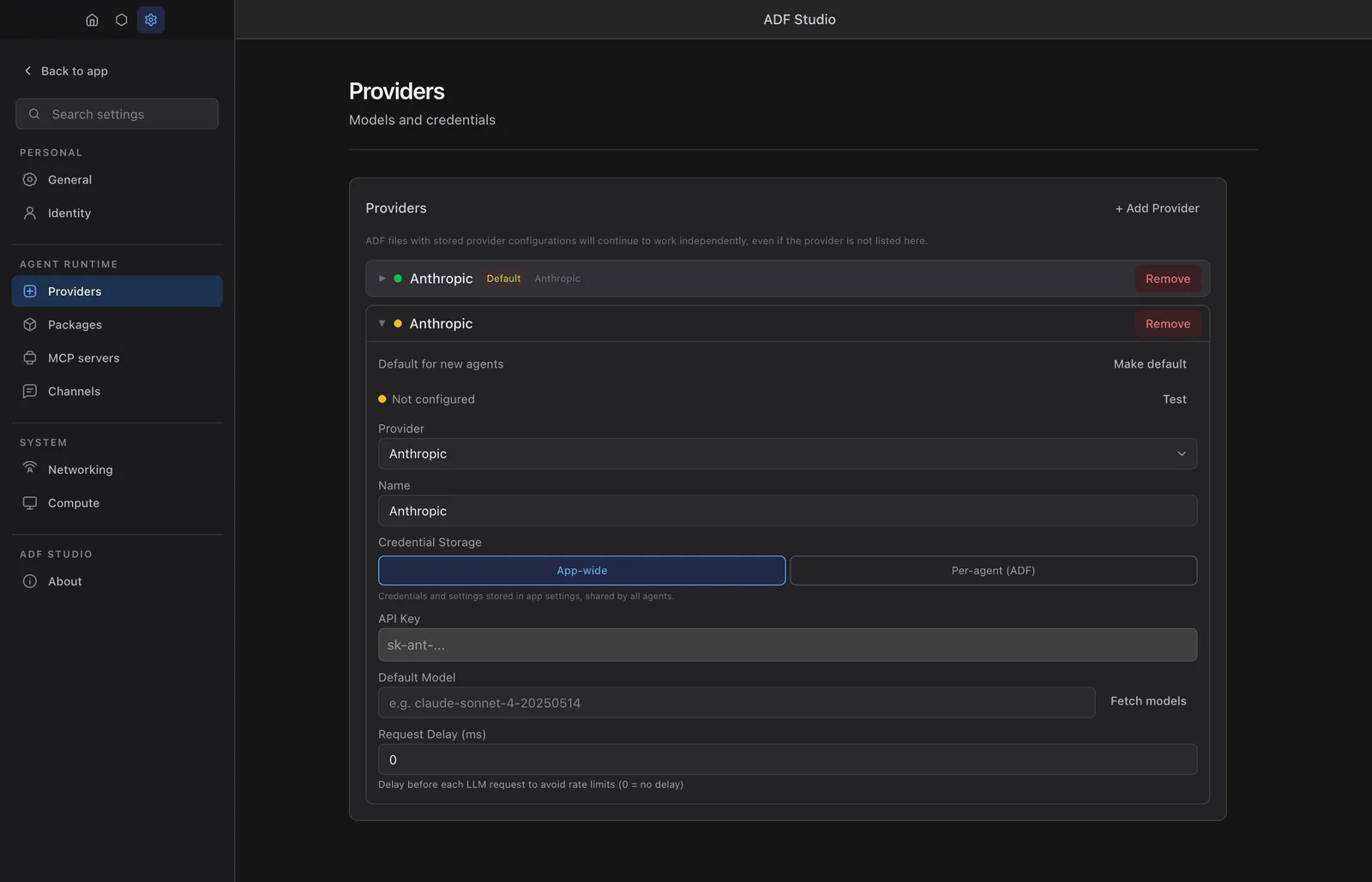
| Providers | ChatGPT and SuperGrok subscriptions (OAuth), hosted APIs (Anthropic, OpenAI, OpenRouter, Gemini and others), local servers (LM Studio, Ollama, vLLM, llama.cpp) and any OpenAI-compatible endpoint. |
| Fleet map | Every agent as a tile on a hex map, grouped by directory. Select and command groups with hotkeys. |
| Approvals | Restricted tools pause for human approval, inline on the fleet map or in a full-context modal. |
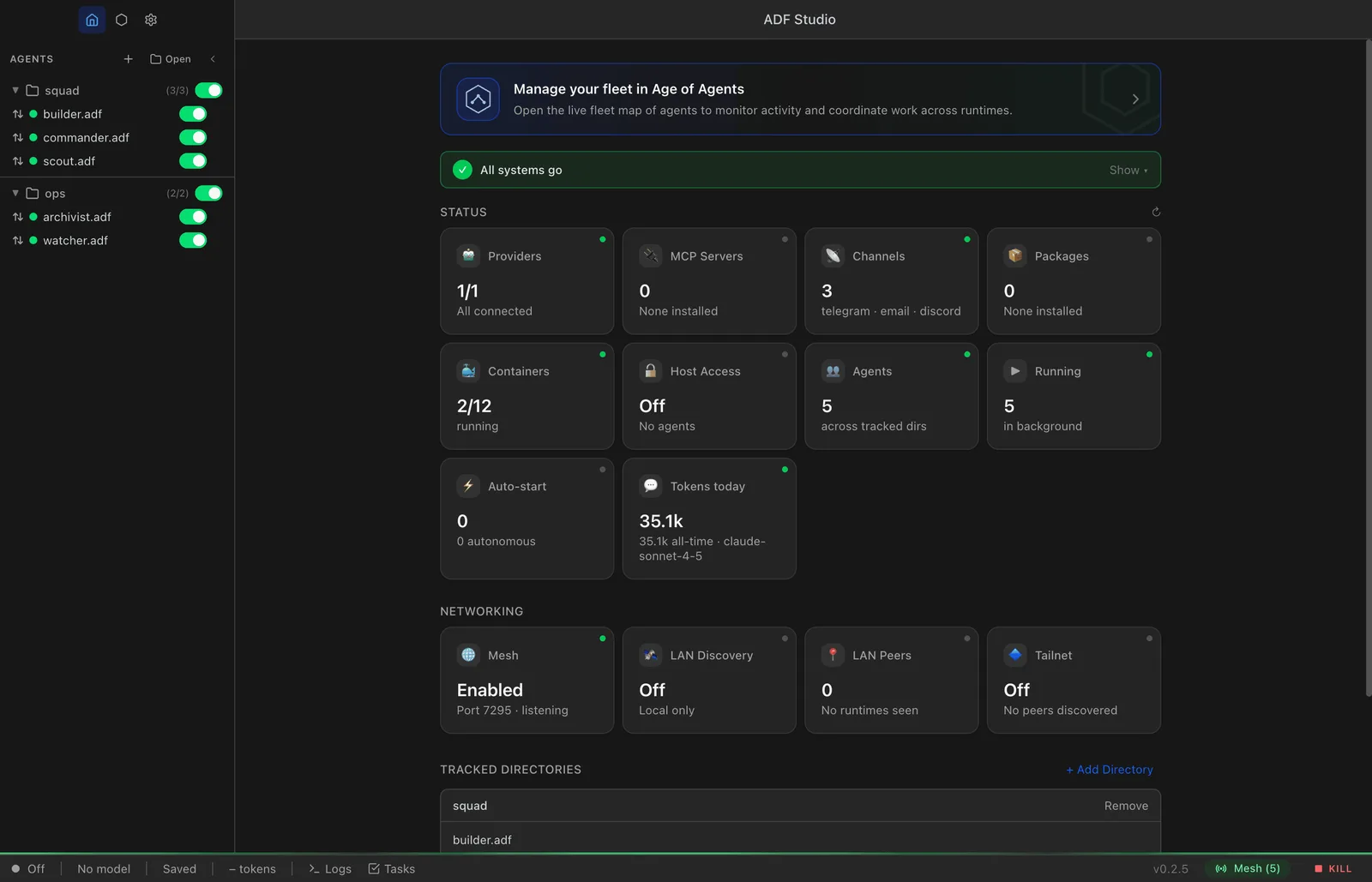
| Home dashboard | Status tiles for providers, MCP servers, channels, packages, containers, agents and networking. |
| MCP servers | Register tool servers and their credentials; attach them to agents. |
| Code execution | Sandboxed code with a shared package store available to every agent on the instance. |
| Computer | Isolated agents can get a small Linux desktop with a managed Chromium, streamed into Studio. |
| Networking | Agent-to-agent messaging over ALF, LAN discovery (mDNS) and HTTP serving of agent content. |
| Multimodal | Image, audio and video input when the model and agent config enable it. |
| Updates | Checks for new releases hourly and on demand from Settings → About. |
System requirements
| OS | CPU | Package | Notes |
|---|---|---|---|
| Windows | x64 | .exe (NSIS installer) | |
| macOS | Apple Silicon | .dmg (arm64) | Signed and notarized |
| macOS | Intel or Apple Silicon | .dmg (universal) | Signed and notarized |
| Linux | x64 | .deb | sudo apt install ./adf-studio_*_amd64.deb |
| Linux | x64 | .AppImage | Needs libfuse2 |
- At least one model provider: an API key, a local model server, or a ChatGPT or SuperGrok subscription.
- Optional: Podman for container-backed compute.
- On first launch Studio creates
~/.adf-studio/for settings, the shared package store and compute state.
Build from source
Needs Node.js 22 LTS (20 minimum) and npm.
git clone https://github.com/christianbalevski/adf.git
cd adf
npm install
npm run dev        # launches ADF Studio
npm run package builds platform installers with electron-builder. See README and RELEASING.md.